Unifying codea11y: One Accessible Home
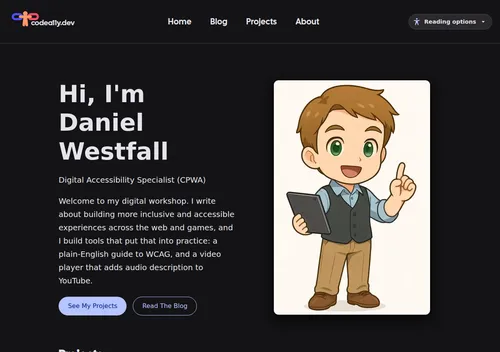
For a while I had separate things on the internet: this blog and a comprehensive WCAG reference called Tracking WCAG. Each had its own colours, its own type, its own header and its own idea of what a focus ring looks like.
That’s a small problem for how things look. It’s a bigger problem for how they’re used. Someone who sets dark mode and larger text on one site shouldn’t have to do it again one click later. Someone who learns where the navigation lives shouldn’t have to learn it again. WCAG 3.2.3 Consistent Navigation and 3.2.4 Consistent Identification are about a single site, but the principle scales: predictable is accessible.
So this week I put them under one roof. Here’s what that involved.
One set of tokens
Everything starts from a single file of design tokens: colours for light and dark, the type stack, and the focus ring. Every colour pair used for text was measured, not eyeballed:
| Pair | Light | Dark |
|---|---|---|
| Primary (links, buttons) on background | 6.68:1 | 10.87:1 |
| Body text on background | 16.69:1 | 14.58:1 |
| Secondary text on background | 9.09:1 | 10.86:1 |
| Text on a primary button | 6.86:1 | 7.47:1 |
| Control borders (1.4.11 needs 3:1) | 4.36:1 | 5.81:1 |
Each project uses those values in whatever form its framework needs. This site and Tracking WCAG read them as CSS custom properties. There’s one canonical file, and each copy says where it came from.
The focus ring is the same everywhere: a 3px outline in the primary colour, offset 2px. It measures at least 6:1 against every surface, so it’s easy to see whether you’re on a white card or a near-black page.
One header, one reading panel
Tracking WCAG now opens with the same header as this site: logo, Home, Blog, Projects and About, and the Reading options panel on the right. The hub’s own search and section tabs sit on a second row underneath, so you always know which site you’re on and which part of it you’re in.
On a phone, the four site links fold behind a Menu button. It’s a plain disclosure button with aria-expanded. Escape closes it and returns focus to the button, and if JavaScript doesn’t load the links simply stay visible.
The reading panel (text size, spacing, fonts, light/dark/high-contrast themes, reading aids, read aloud) is one script shared by both sites. Because Tracking WCAG lives at codea11y.dev/trackingwcag3/, the two share a browser origin, and so they share the saved setting. Pick dark mode here and Tracking WCAG is already dark when you arrive.
What the audit caught
Unifying the look was also a chance to re-audit everything against WCAG 2.2 AA. A few findings:
- A faded “engine version” label was set to 45% opacity and measured 2.09:1. It now uses the standard secondary text colour.
- Two controls had no accessible name: the search switch and the expand button on a diagnostics panel. Both now have labels, and the expand button reports
aria-expanded. - A new font, a new reflow bug. The display face I use for headings is wider than the one Tracking WCAG used before. At 320px wide with text at 200%, “Accessibility” no longer fit on one line. Headings can now break inside a word as a last resort.
The numbers
After the fixes, running axe-core with the WCAG 2.0, 2.1 and 2.2 A/AA rules:
- This site: home, projects, blog, about and the launch post, in light and dark, with no violations.
- Tracking WCAG: the home page and every section of the plain-English hub, in light and dark, with no violations. The hub’s own contrast sweep measured 89,466 text nodes across 675 pages with no failures in the light theme.
- Reflow: no horizontal scrolling on any of those pages at 320px wide.
Automated tools catch only part of what matters. They can’t tell you whether a description is useful, whether the focus order makes sense, or whether a screen reader user can finish a task. That takes testing with a keyboard and a screen reader, and a clean automated baseline means that time goes on the hard problems, not on missing labels.
Where to find everything
The new Projects page is the front door. Tracking WCAG is linked from it, from the mobile menu and from the footer on every page. If something gets in your way, tell me. That’s the whole point.